
The Companion addon
A free addon that scans the Auction House, prices your bags and tooltips from your own scans, and runs shopping, auctioning, crafting, ledger and dashboard menus inside World of Warcraft.
Download
Downloading the addon needs a free account with a linked Battle.net account.
What it does
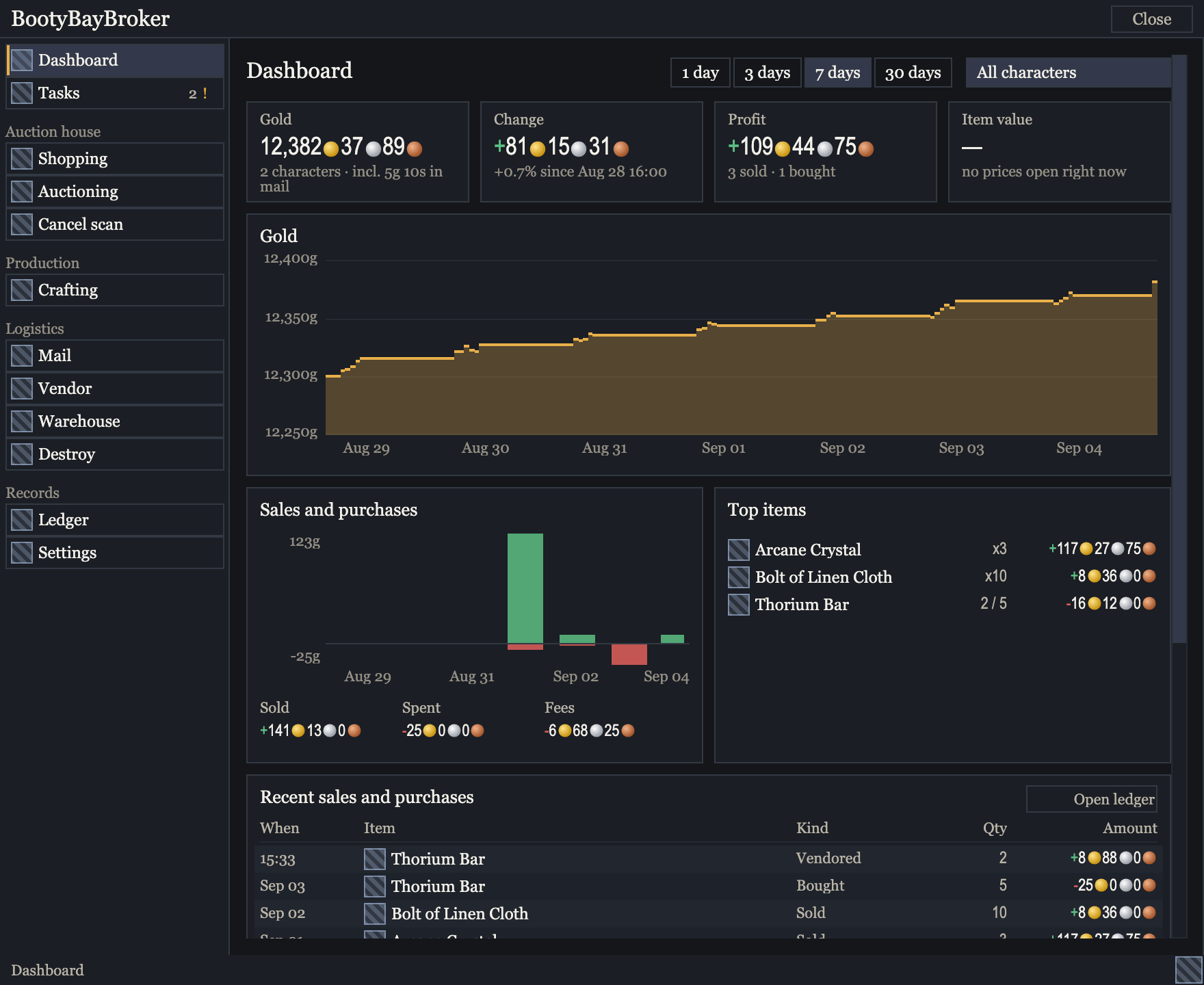
The menu of sections runs down the left; the Dashboard shows gold, change and profit, a rising gold chart for the week, a sales and purchases chart, top items and recent trades. The window is drawn from the addon’s interface code, with sample data and placeholder item icons. Auction House scans
Scan the Auction House on WoW Forever, Mists of Pandaria Classic, TBC Anniversary and Season of Discovery, on US and EU realms. The prices your scan finds go straight to your tooltips.
Tooltip and bag prices
Item tooltips and your bag total show a price for each item, with where it came from and how old it is.
Menus in game
Shopping lists, auctioning, crafting queues and a dashboard work from your own lists and history, saved with your game settings.
Ledger
Purchases, sales, postings and cancellations are recorded, so you can see what you spent and what you earned.
With the Companion desktop app
The app installs and updates the addon, delivers market prices to it and syncs it with your account. It is in closed beta.
Join the beta roster

Supported versions
- WoW Forever, Scans
- Retail, Prices from the app
- Mists of Pandaria Classic, Scans
- TBC Anniversary, Scans
- Season of Discovery, Scans
- Classic Era, No prices
Retail, WoW Forever and Mists of Pandaria Classic use the modern auction house; TBC Anniversary, Season of Discovery and Classic Era use the older one.
Install by hand
Using the Companion desktop app? Skip these steps: the app installs and updates the addon and keeps its settings file.
If you installed the addon before, close the game and delete the old BootyBayBroker folder from Interface/AddOns.
Extract the ZIP into the Interface/AddOns folder of the edition you play.
Check that this file exists:
Interface/AddOns/BootyBayBroker/BootyBayBroker_Mainline.tocIf a second BootyBayBroker folder sits inside the first, move the inner one up a level.
Restart the game so it loads the addon.
Type
/bbbin chat to list the addon’s commands.
Updates
A hand install does not update itself. Once you are signed in with a linked Battle.net account and the download is open, the download above shows the current version, so come back and download again when the number changes.
Questions
Why does the download need an account and a linked Battle.net account?
It is the same rule the Companion desktop app follows, so each account that downloads the addon belongs to a real player.
What does the site record when I download?
Your account, the addon version, the time and whether the download went through, in our server logs with your IP address, and for 15 minutes a count of recent downloads per account and per address, to stop abuse. If analytics is on for you, Google Analytics also counts the download.
When our server cannot send the file itself, your browser fetches it from the service that hosts our releases, which then sees your IP address. The Privacy Policy has the details.
Do I need the desktop app?
No. The addon works on its own, with prices from your own scans on the editions it scans; the app adds delivered market prices and syncing.
Which editions does it scan?
WoW Forever, Mists of Pandaria Classic, TBC Anniversary and Season of Discovery, on US and EU realms. On Retail, Classic Era and Hardcore it scans nothing, so it shows no prices there on its own; Retail prices reach it through the Companion desktop app.
Is it safe to use?
It never buys, posts or cancels by itself: each purchase, post and cancel happens only when you click. On the editions it scans, it scans the Auction House automatically while that window is open, and /bbb autoscan turns that off. It uses only the interface Blizzard gives addons.